C# Blooper №5: Lame/annoying variable scoping rules, Part 2

Before reading any further, please read the disclaimer in the C# Bloopers post.

In light of C# Blooper №4: Lame/annoying variable scoping rules, Part 1, this one is more of a confusing error message than an actual new blooper. What I am doing below is that I am declaring a field within a class, I am accessing that field from within a method, and further down within the same method I am declaring a new local variable with the same name as the field. Now, C# will not allow me to declare that local variable because it has the same name as the field, but that's not where I am receiving the error. Instead, the error is given when accessing the field. If you only read the first sentence of the error message, it does not make any sense at all. If you bother also reading the second sentence, it gives you a hint as to the real problem. Now, that's not very cool.

Read more »

Scanning printed photos

I was looking around for advice on what settings are best for scanning printed photos and I was amazed by the number of answers floating around on the great interwebz which are misguided, or are technically correct but miss the point. So, here is my advice.

First of all, let us define the goal: For a home user to scan printed photos so as to retain as much as possible of the visual information contained in the print, within reasonable limits, and without wasting too much space.

Read more »

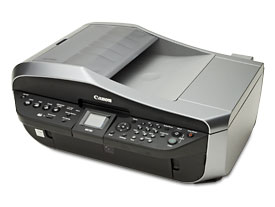
Canon Pixma MX700 printer dead and resurrected (Not!)

Canon Pixma MX700

My Canon Pixma MX700 printer died the other day as it was printing. It just went completely dead, as if the power cord was unplugged. I tried a few things and I did in fact manage to bring it to life, but only for a couple of days. Then, it died for good.

Here is what happened.

Read more »

Solved: Local resources unavailable on remote desktop

I experienced this problem today, drive C: of my local computer "Pegasus" was not appearing on the remote computer as "C on PEGASUS" when I connected to the remote computer via Remote Desktop (Terminal Services.) All other drives of Pegasus were showing fine on the remote computer, but the one I actually needed (C:) was not. The drive did not even appear under \\tsclient in "Network Places".

Judging by the problems reported by people from all over the world who have this problem and are searching for solutions on the interwebz, it may happen with any local resource, like printers, the clipboard, etc.

Read more »

DotNet code running faster under the profiler?

So, today it occurred to me that the C# application that I am developing is a bit too slow on startup, and I decided to throw the visual studio profiler at it to see if I have goofed up somewhere. To my astonishment, under the profiler my app ran 10 times faster. The slowness I wanted to troubleshoot was nowhere to be found.

I also tried running the release version, and as I expected it performed better than the debug version under the profiler, so the universe was still in its place, but still, I would very much like to know what the profiler did that made the debug version of my app run so much faster. For one thing, it would be a great convenience to be able to enjoy this speedup while developing; waiting for 2 instead of 20 seconds for my app to start every time I want to check something would be very good for productivity.

Read more »